
The Microsoft Entra passkey policy got a significant upgrade in June 2026. Microsoft raised the number of passkey profiles allowed per tenant, gave passkey settings their own policy budget, and brought sensitivity labels to Entra security groups. In addition, Conditional Access policies that target the “Register security information” action started applying to Windows Hello for Business and macOS Platform SSO enrollments on July 6, with enforcement complete by July 13, 2026. This guide covers what changed and what to check now that enforcement is in place.
What changed in the Microsoft Entra passkey policy
The maximum number of passkey profiles per tenant went from three to ten. The authentication methods policy also now has a dedicated 20 KB allocation for passkey settings. Before, passkey configuration competed with other authentication methods for a shared policy budget, which forced trade-offs.
Teams can now define separate profiles for different scenarios without hitting size limits: one for shared frontline devices, one for executive laptops, one for contractors. As a result, large tenants can finally match passkey rules to their real structure instead of forcing everyone into a single policy.
Conditional Access now applies to Windows Hello and macOS SSO registration
Since July 13, 2026, Conditional Access policies scoped to the “Register security information” user action also apply when users register Windows Hello for Business or macOS Platform SSO credentials. Users setting up a passwordless credential must satisfy that policy’s grant controls before enrollment completes. Those controls might be an authentication strength, a trusted location or a specific MFA method.
If no policy in your tenant targets this action, nothing changed for you, and MFA is still required by default to register passwordless credentials. Tenants with strict Conditional Access, however, now see those rules apply to Windows Hello and macOS SSO flows they may not have planned for. The typical symptom is a help desk ticket from someone who “can’t finish setting up Windows Hello.”
Why passkey profiles matter for enterprise rollouts
Passkey profiles let you scope which FIDO2 authenticators, attestation requirements and AAGUIDs are allowed for a group of users. They are how you deliver the phishing-resistant credentials Microsoft has been steering customers toward for years. Ten profiles sounds modest. For global organizations, though, the extra room enables real design choices. Regional rules may require different authenticator brands per country, and security-sensitive teams often need hardware attestation while general staff can use synced passkeys.
- Frontline devices: shared kiosk passkeys with tighter attestation
- Executives: hardware-bound keys and a strict AAGUID allowlist
- Developers: platform passkeys on macOS and Windows
- Contractors: synced passkeys with time-bound access reviews
- Guests: restricted keys tied to Entra B2B collaboration
Sensitivity labels on Entra security groups
The June update also brought Microsoft Purview sensitivity labels to Entra cloud security groups, in public preview. Labels previously governed only Microsoft 365 groups. Now the same labels you use for Teams, SharePoint sites and mailboxes can drive security group settings, including guest access and privacy.
This matters because security groups underpin license assignment, Conditional Access targeting and role-based access. One label on a security group can now apply guardrails that used to take several tools and scripts. Labels are managed in the Purview portal and applied through the Entra admin center, the Azure portal or Microsoft Graph. So existing automation can adopt them without a rewrite. For how labels fit Copilot readiness, see our Purview DSPM for AI checklist.
How this fits Microsoft’s passwordless push
These changes are the latest step in a multi-year Entra passwordless campaign. Earlier in 2026 Microsoft auto-enabled passkey profiles for tenants that hadn’t acted. In April, registration campaigns gained native support for prompting users to enroll passkeys, and Entra passkeys on Windows reached general availability in late May. Microsoft reports that synced passkeys are up to 14 times faster than passwords plus traditional MFA, and that about 99 percent of consumers complete passkey registration on the first try.
Use registration campaigns to roll out passkeys
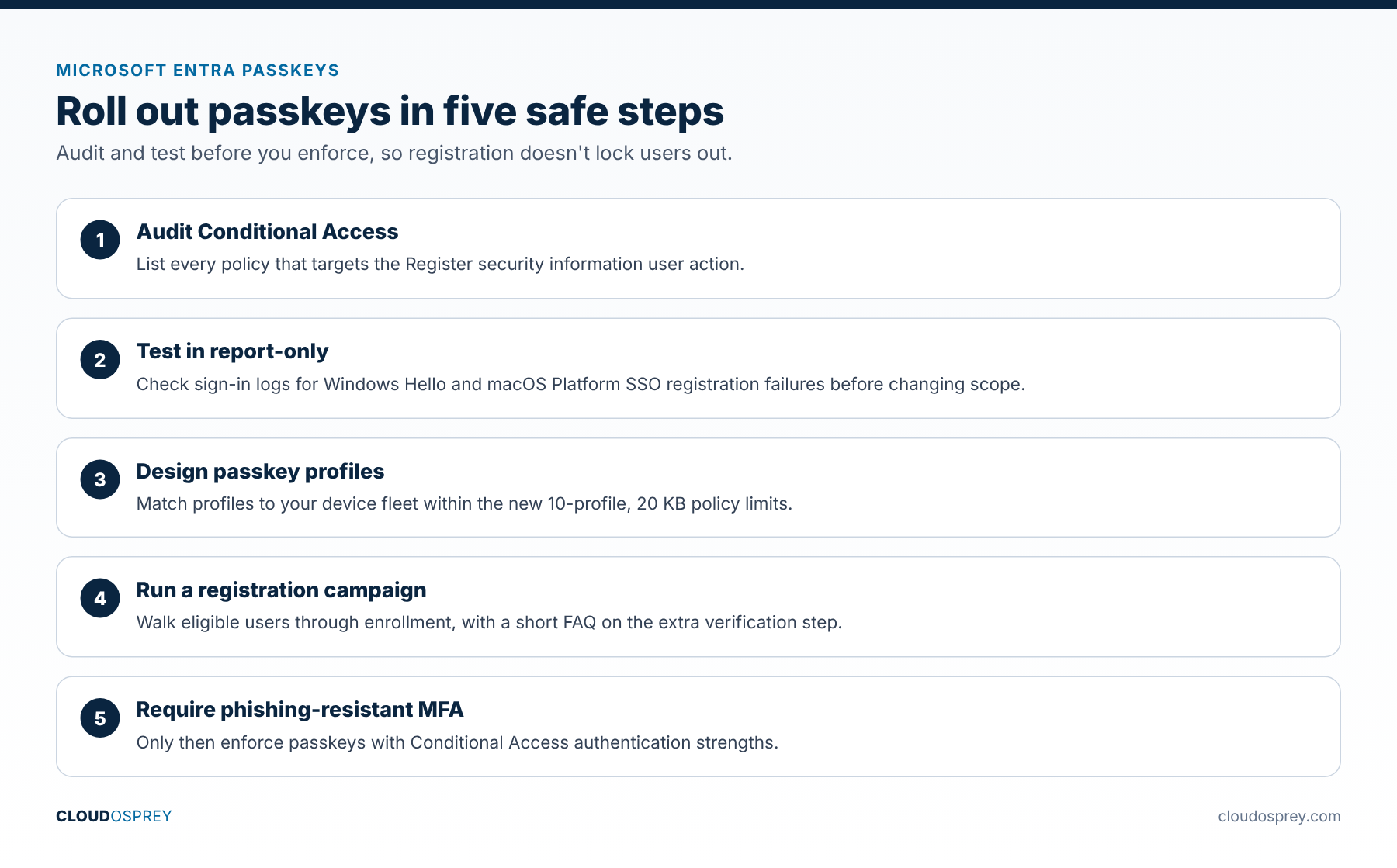
Registration campaigns prompt users to enroll a stronger method after a successful sign-in. They used to nudge users mainly toward Microsoft Authenticator; now they can steer users straight to passkeys. A reliable rollout pattern:
- Define passkey profiles that match your device fleet.
- Run a targeted registration campaign to walk users through enrollment.
- Then require phishing-resistant authentication with Conditional Access.
Checklist: verify your tenant now
- In Conditional Access, filter policies by the “Register security information” user action and list every one.
- Review sign-in logs since July 13 for Windows Hello for Business and macOS Platform SSO registration failures. A common cause is a trusted-location requirement that remote staff can’t meet.
- Adjust or scope those policies, testing changes in report-only mode first.
- Redesign passkey profiles around the new 10-profile, 20 KB limits.
- Turn on a registration campaign for eligible users.
- Pilot sensitivity labels on one or two security groups and check guest access behavior.
- Publish a short user FAQ explaining why Windows Hello setup may now ask for extra verification.
Bottom line
The expanded Microsoft Entra passkey policy gives enterprise rollouts real room to work. The Conditional Access change is the part most likely to cause tickets. So audit your “Register security information” policies, check the sign-in logs, and use the new profiles and registration campaigns to move users off passwords.
Last reviewed: October 2026. Originally published July 5, 2026, ahead of the July 13 enforcement date.
Sources
- What’s New in Microsoft Entra: June 2026 (Microsoft Community Hub)
- Microsoft Entra ID security updates: What organizations need to do now (Microsoft Community Hub)
- Control security information registration with Conditional Access (Microsoft Learn)
- Assign sensitivity labels to Microsoft Entra security groups (Microsoft Learn)
- Run a registration campaign to set up a passkey or Microsoft Authenticator (Microsoft Learn)
- World Passkey Day: Advancing passwordless authentication (Microsoft Security Blog)
Discover more from Cloud Osprey
Subscribe to get the latest posts sent to your email.
